Vaporwave Text Generator: Turn Plain Text Into Retro Aesthetic Fonts
A vaporwave text generator turns normal letters into wide, evenly spaced Unicode characters that look like they belong on an old Japanese arcade cabinet or a faded VHS title card. You type “hello,” it gives you back “hello.” No fonts, no apps, no downloads. Just Unicode characters that copy, paste, and work anywhere text works.
That’s the short version. Here’s everything else you need to know, including why some vaporwave generators break when you paste them into certain apps, and why the terms “vaporwave text,” “aesthetic text,” and “glitch text” get mixed up so often.
How to Use a Vaporwave Text Generator
That’s the whole process. The tool at the top of this page does all four steps in real time, and it doesn’t stop at one style.
What Makes a Good Vaporwave Text Generator
Most vaporwave generators online do exactly one thing: convert your text to fullwidth Unicode. That’s the classic look, and it’s genuinely the most important style in the category. But it’s also the only style most tools bother to offer.
This generator gives you 13 styles built around the same aesthetic, all free, with no sign-up and no premium tier blocking the ones you actually want:
You don’t need to visit five different websites to get five different vaporwave-adjacent looks. That’s the whole point of building it this way.
Vaporwave Text vs. Aesthetic Text vs. Glitch Text vs. “80s Text”
These four terms get thrown around interchangeably, and honestly, even some of the tools that generate this text mix them up in their own descriptions. Here’s the actual distinction.
| Term | What it technically is | Where the name comes from |
| Vaporwave text | Fullwidth Unicode characters, evenly spaced | Tied to the vaporwave music and art movement (2010-2013) |
| Aesthetic text | The same fullwidth Unicode characters | Became a broader meme label once the style spread beyond vaporwave circles |
| Glitch text | Fullwidth or normal text with stacked combining marks above and below letters | Meant to look corrupted or distorted, not just wide |
| “80s text” | A common mislabel for fullwidth text | People associate the wide spacing with old monospace computer displays, even though monospace fonts space every character evenly, not just wide ones |
The short version: vaporwave text and aesthetic text are the same underlying Unicode characters, just used by different communities for slightly different reasons. Glitch text adds a visual layer of distortion on top. “80s text” is a nickname, not a separate technical style.
Where the Style Actually Comes From
Fullwidth Latin characters aren’t a Vaporwave Text Generator invention. They’re part of the Unicode Halfwidth and Fullwidth Forms block, originally created so Latin letters could align visually with Chinese, Japanese, and Korean (CJK) characters in mixed-language text. Since a standard Latin “A” is naturally narrower than a CJK character, fullwidth Unicode versions give every letter the same width for clean, consistent alignment.
The modern Vaporwave Text Generator style emerged as artists embraced these Unicode characters between 2011 and 2013, when the vaporwave movement gained popularity on Tumblr, Reddit, and early internet forums. The aesthetic combined retro Japanese computing, VHS-era nostalgia, neon visuals, and a playful take on 1980s and 1990s consumer culture. Albums such as Macintosh Plus’s Floral Shoppe and the broader mallsoft subgenre helped popularize this visual identity, with the iconic word AESTHETIC becoming one of the internet’s most recognizable vaporwave symbols.
None of this requires a special font. Every character is standard Unicode, meaning any device or app that can display Unicode text can display vaporwave text correctly.
Where to Use It, and How Much You Can Fit
Vaporwave text works on Instagram, TikTok, Discord, Twitter/X, Tumblr, Bandcamp, SoundCloud, and basically anywhere that accepts Unicode. Discord in particular has a strong community history with fullwidth display names and server titles.
The one catch: fullwidth characters are wider, and on some platforms they count as more than one character toward your limit.
This is exactly why vaporwave text works best as a short phrase, a title, or a name, not a full paragraph. Use the character counter above the generator to check your length before you paste anywhere. Learn about discord text formatting
Why Your Copy-Pasted Text Sometimes Breaks
If you’ve ever pasted vaporwave text somewhere and gotten boxes, question marks, or nothing at all, here’s what’s actually happening.
Boxes or question marks (tofu characters): This means the app or device you pasted into doesn’t have a font installed that covers that particular Unicode character. Fullwidth text has excellent support almost everywhere, but rarer styles like circled or squared letters have slightly less universal coverage. Very old devices or stripped-down apps are the most common culprits.
The spacing looks wrong or uneven: This usually happens when fullwidth characters get mixed with regular half-width characters, often from copying part of your text from one style and part from another. Stick to one style per phrase and the spacing stays consistent.
Nothing happens when you hit copy: Some browsers block clipboard access until you interact with the page first, or block it entirely over an unsecured connection. Try clicking directly into the text output first, then copying.
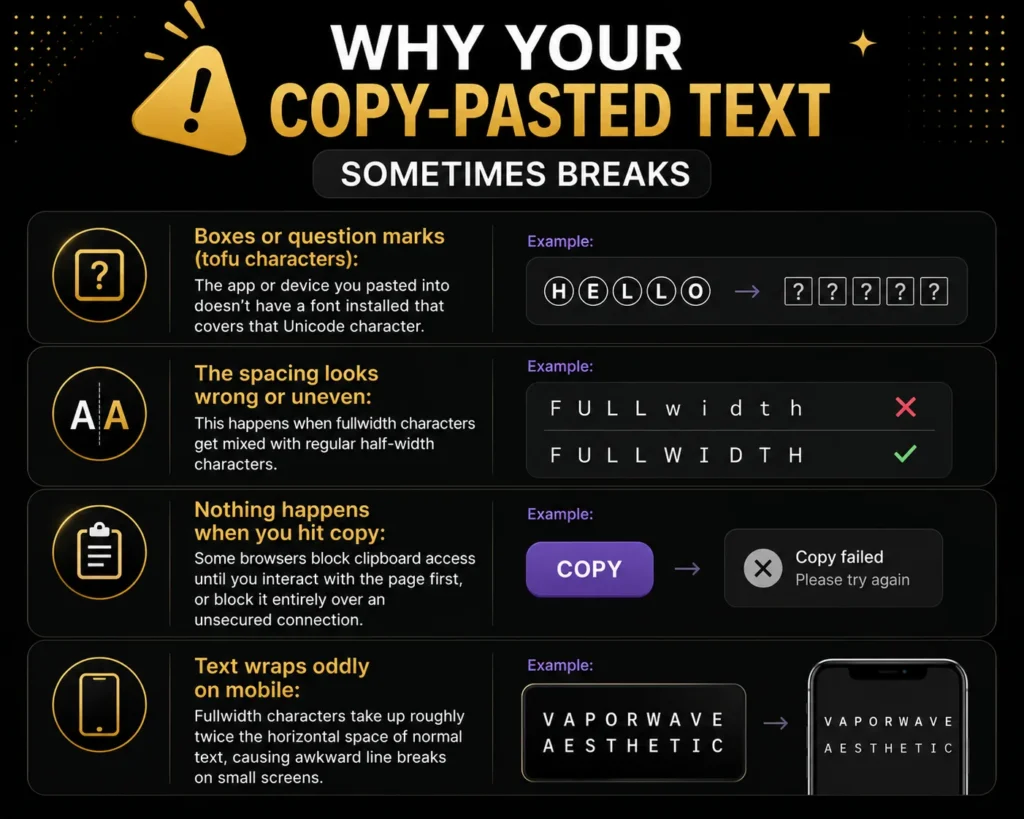
Text wraps oddly on mobile: Fullwidth characters take up roughly twice the horizontal space of normal text. A phrase that fits cleanly on a desktop can wrap awkwardly on a narrow phone screen. Keep mobile-facing text (bios, captions) especially short.