Roblox Font Generator: Copy and Paste Fonts That Actually Work
Scrolling through Roblox and wondering how other players get those bold, stylish names while yours still looks stuck on default? You’re not the only one asking. A plain username gets scrolled past, a stylish one gets noticed, and that’s the whole reason this page exists. Type your text into the generator above, pick a style you like, and copy it straight into Roblox. That’s the entire process, no downloads, no sign-up, no design skills needed.
Here’s the part most people don’t know until something breaks: a Roblox font generator doesn’t actually give you a new font file. It swaps your regular letters for special Unicode characters that look stylish, like 𝓒𝓾𝓻𝓼𝓲𝓿𝓮 or 𝔾𝕠𝕥𝕙𝕚𝕔, but Roblox still reads them as plain text. That’s exactly why they paste in cleanly instead of showing up as a broken image. It’s also why some styles work perfectly in one field and turn into boxes in another, which is something we break down field by field further down this page, so you’re not stuck guessing where it went wrong.
What Is a Roblox Font Generator?
A Roblox font generator is a free online tool that converts normal typed text into stylized Unicode text you can copy and paste. It’s not installing a new typeface on your account. Every “font” you see is really a set of alternate Unicode characters, like 𝔀, 𝕨, or ⓦ, that your device already knows how to display. That’s why the text pastes cleanly into a display name field instead of showing up as a broken image.
This matters because it explains both what this tool can do and what it can’t. It can make your name stand out with bold, cursive, or gothic-looking text, or even create more unusual styles using our weird text generator. It can’t give you Roblox’s actual interface font, and it can’t get you banned just for using it (more on that below).
How to Use This Roblox Font Generator
That’s it. No sign-up, no software, no waiting for a download.
Try our font style generator to create stylish, copy-paste text for any platform in seconds.
Best Roblox Font Styles (Comparison Table)
Some styles are more reliable than others. This is based on testing across Roblox’s display name field, bio, and group name field. “Safe” means it renders correctly almost everywhere on Roblox. “Situational” means it usually works but can look broken in older mobile builds or very long strings.
| Style | Example | Best For | Compatibility |
| Bold Sans | 𝐘𝐨𝐮𝐫𝐍𝐚𝐦𝐞 | Usernames, clan tags, competitive profiles | Safe |
| Small Caps | ʏᴏᴜʀɴᴀᴍᴇ | Clean gamer-tag look, minimal profiles | Safe |
| Double-Struck | 𝕐𝕠𝕦𝕣ℕ𝕒𝕞𝕖 | Group names, event labels | Safe |
| Cursive/Script | 𝒴𝑜𝓊𝓇𝒩𝒶𝓂𝑒 | Roleplay servers, aesthetic bios | Situational |
| Bubble/Circled | Ⓨⓞⓤⓡⓝⓐⓜⓔ | Casual profiles, soft aesthetic bios | Situational |
| Gothic/Fraktur | 𝔜𝔬𝔲𝔯𝔑𝔞𝔪𝔢 | Horror games, dark fantasy RP, SCP servers | Situational |
| Fullwidth/Aesthetic | Yourname | Trading communities, aesthetic display names | Safe |
| Zalgo/Glitch | Y̸o̵u̶r̷N̵a̴m̸e̶ | Horror-themed usernames, short use only | Risky on long strings |
If you only remember one rule: shorter and simpler styles survive more Roblox fields than long, decorative ones.
Unicode Text vs. Custom Fonts in Roblox Studio
Here’s a mix-up that trips a lot of people up. If you’re a player who wants a stylish name or bio, this Unicode-based generator is exactly what you need. If you’re a developer working in Roblox Studio and want to change the font used in your game’s UI (buttons, titles, text labels), that’s a completely different process.
Studio lets you assign real font files, including uploaded custom fonts, to TextLabel and TextButton objects through the Font property. That’s a design choice built into the engine, not something a copy-paste tool can do. If you came here looking to change your game’s actual typography rather than your profile name, you’ll want Roblox’s font settings inside Studio, not a text generator.
Where You Can Use These Fonts on Roblox
Not every Roblox field treats fancy text the same way. Here’s the breakdown:
| Field | Accepts Unicode Fonts? | Character Limit |
| Display Name | Yes | 20 characters |
| Username | No (letters, numbers, underscores only) | 3-20 characters |
| Bio / About Me | Yes | 1,000 characters |
| Group Name | Yes | 50 characters |
| Group Description | Yes | 1,000 characters |
| In-game Chat | Usually, unless the game uses a custom chat filter | Varies by game |
| Game Title (Studio) | Yes, if entered directly | 50 characters |
Your username (the one after the @ symbol) is locked to plain letters, numbers, and underscores. Your display name is the one shown above your avatar and in most social spaces, and that’s where fancy fonts actually show up. If you’ve generated a style and it’s not saving, double check which field you’re pasting into.
Why Some Fonts Show Up as Boxes or Squares
Roblox’s interface runs on the Gotham font family for most of its UI. Gotham, like most fonts, doesn’t include glyphs for every Unicode character out there. When you paste a character that Gotham (or your phone’s fallback font) can’t render, you get a blank box or a square instead of the letter.
This is why simple styles like Bold Sans and Small Caps almost always work, while heavily decorated styles with combining accents or rare symbol blocks sometimes break. If your text looks fine on desktop but broken on mobile, it’s usually the same issue: the mobile font stack supports a narrower range of characters than desktop.
Old and Classic Roblox Font Generator
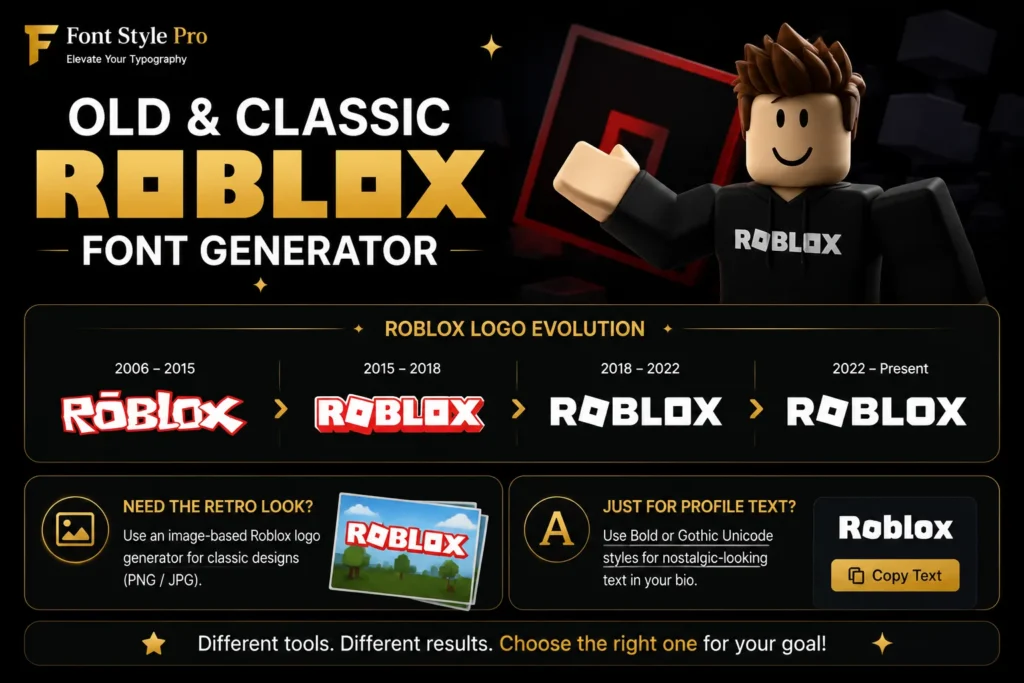
If you’re searching for an old roblox font generator or classic roblox font generator, there’s a good chance you’re not after Unicode copy-paste text at all. You might be after Roblox’s actual logo history: the blocky 2006-era wordmark, or the Gill Sans Ultra Bold logo Roblox used between 2018 and 2022, before switching to the current Gotham Ultra branding.
That’s a different kind of tool. A true “old Roblox font” recreation needs an image-based generator (something that outputs a PNG or JPG), not copy-paste text, because the original logo font isn’t a Unicode character set you can paste into a chat box. If you want the retro look for a thumbnail, invite, or fan project, use an image-based Roblox logo generator instead. If you just want nostalgic-looking text for your bio, a Bold or Gothic Unicode style from the table above gets you close enough for profile use.
Generate creepy Unicode characters and glitchy text with our cursed text generator for social media, gaming, and creative projects.
Doors Font Generator Roblox
People searching for doors font generator roblox are usually after the spooky, unsettling text style associated with the horror game Doors, not a literal downloadable Doors typeface (Roblox doesn’t officially release one). You can recreate that mood with Unicode styles built for atmosphere:
Keep Zalgo text short. The combining characters that create that “glitching” look add up fast and can hit character limits or render badly in tighter fields like group names.
Forsaken Roblox Font Generator
“Forsaken” is actually the name of a specific downloadable brush-style horror font (by LJ Design Studios), separate from Roblox itself, that a lot of Forsaken-the-game fans use for logos and fan art. A forsaken roblox font generator search usually means one of two things: you want that specific font file for a design project, or you want Roblox profile text with a similar dark, horror-brush feel.
For the actual font file, you’ll need a standard font download site, since it’s a real .ttf, not something a Unicode tool can generate. For profile text with the same vibe, Gothic and Fraktur styles from the table above are your closest match, and they’ll actually paste into your Roblox bio or display name.
Grow a Garden Font Generator Roblox
Grow a Garden’s in-game text leans playful and rounded, closer to Comic Sans or Comic Neue than anything blocky or gaming-tech looking. There’s no single official “Grow a Garden font” confirmed in Roblox’s own documentation, but the community consensus (based on screenshots and UI comparisons) points to a soft, bold, sans-serif style.
For a garden font generator roblox style match in your bio or display name, skip the horror and gothic styles entirely. Bubble text and rounded Bold Sans styles give you that same friendly, casual look and will actually copy and paste cleanly into Roblox, unlike a downloaded Comic Sans file, which you can’t install directly onto your profile anyway.
Roblox Font Ideas by Game Type
Different Roblox communities lean toward different looks. A few starting points:
Does Roblox Ban Accounts for Using Fancy Fonts?
No. Using Unicode characters in your display name, bio, or group description is not against Roblox’s Terms of Service. These are standard characters built into the Unicode standard, not scripts, exploits, or third-party modifications. The only thing that gets accounts flagged is what the text actually says, not how it’s styled, so normal Community Standards around offensive language and impersonation still apply.
Roblox Bio and Name Templates (Copy and Paste)
A few ready-to-use combinations if you want a starting point rather than building from scratch:
Copy any of these, swap in your own text, and paste directly into the field you’re editing.
Not sure which font is used in an image? Use our identify font from image to detect fonts instantly from any image.